If you design or manage websites using WordPress and Elementor, you have likely encountered this common layout challenge: displaying complex product comparisons clearly.
When showcasing multiple products, services, or subscription tiers, simple bullet points or lengthy paragraphs fail to deliver a good user experience. Visitors get overwhelmed reading through walls of text, find it difficult to identify key differences, and often abandon the page without making a buying decision.
Are you struggling to create clean, side-by-side comparison tables in Elementor? Are you facing alignment issues, broken layouts on mobile screens, or spending hours trying to style basic table widgets?
You do not need to write custom CSS or struggle with complex workarounds anymore. You can solve this effortlessly using the Advanced Comparison Table for Elementor plugin by Coderkart. It is a feature-rich visual table builder designed to streamline how you present product data and drive sales.
Why Product Comparison Tables Are Critical for Conversions
Whether you run an affiliate marketing site, an e-commerce store, a SaaS business, or a review blog, helping shoppers make quick, informed choices is key to boosting conversion rates.
When potential buyers land on a product review or landing page, they want immediate answers:
- Which product offers the best value for money?
- What key features are included or missing in each tier?
- What are the pros and cons of each option?
If your website forces users to scroll back and forth to compare specs, you lose potential sales. A professionally styled comparison table presents all essential information side-by-side, enabling visitors to evaluate choices in seconds. By making the decision-making process smooth and visual, you significantly increase user engagement and click-through rates.
Key Features of Advanced Comparison Table for Elementor
The Advanced Comparison Table for Elementor plugin is packed with versatile controls designed specifically for WordPress creators. Here is a detailed look at what makes this plugin essential for your website design stack:
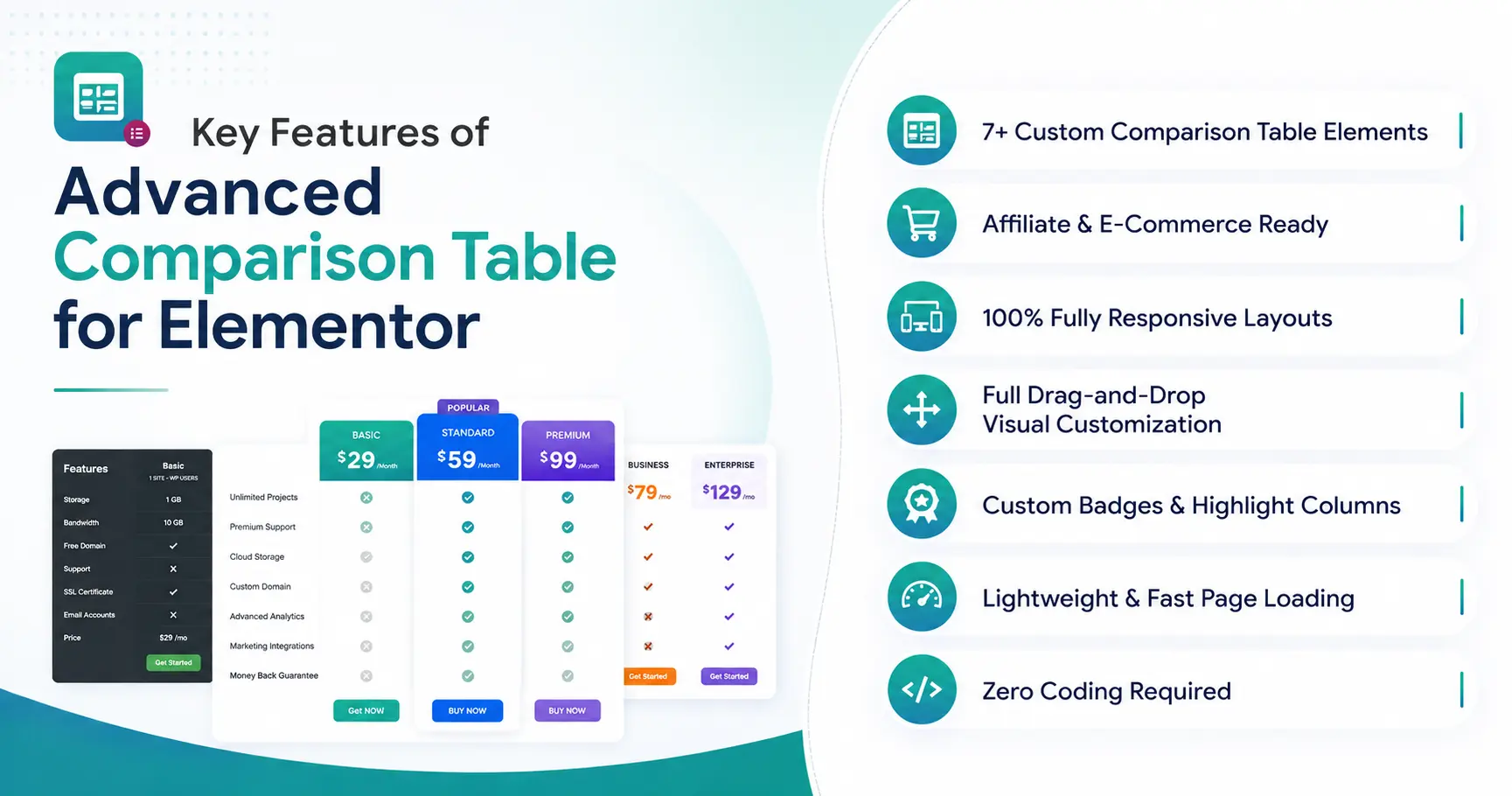
1. 7+ Custom Comparison Table Elements
Forget basic, text-only table cells. This plugin provides over 7 distinct built-in elements to enrich your tables:
- Star Ratings: Display customer review ratings visually with customizable star icons.
- Price Badges & Tags: Highlight pricing tiers, discounts, or special package deals clearly.
- Checkmark & Cross Matrices: Show feature availability clearly with colored icons.
- Pros & Cons Blocks: Present major highlights and limitations in a clean format.
- Call-to-Action (CTA) Buttons: Add eye-catching buttons to direct users straight to purchase or affiliate pages.
2. Full Drag-and-Drop Visual Customization
Built natively for Elementor, the widget integrates smoothly into your workflow. You can manage column widths, adjust background colors, alter typography, and fine-tune padding directly inside the Elementor editor with instant live previews.
3. 100% Fully Responsive Layouts
Creating tables that look great on desktop devices is easy, but making them readable on mobile screens is often frustrating. This plugin automatically adapts your comparison matrices for smartphones and tablets, keeping text readable and layouts aligned.
4. Custom Badges & Highlight Columns
Want to draw attention to your “Best Value”, “Editor’s Choice”, or “Most Popular” plan? You can easily apply custom highlight accents, distinct background colors, and promotional badges to specific columns to guide buyer choices effectively.
5. Lightweight & Fast Page Loading
Slow page speed kills conversions and hurts SEO rankings. Developed by Coderkart, this plugin uses clean code to ensure your comparison tables render fast without slowing down overall page load times.
6. Zero Coding Required
You do not need any HTML or CSS knowledge to build sophisticated matrices. Every design adjustment, from borders and shadows to button hover effects—is handled through simple visual settings inside Elementor.
Want to see these features in action? Take a look at the live interactive demo here: Advanced Comparison Table Demo.
Who Should Use This Plugin?
This plugin is tailored for anyone looking to build high-converting, professional WordPress websites:
- Affiliate Marketers: Showcase top-rated products side-by-side to drive higher affiliate commission clicks.
- E-Commerce Store Owners: Help customers compare similar store products or model variations effortlessly.
- SaaS & Service Providers: Display tiered membership plans, feature matrices, and subscription pricing clearly.
- Web Agencies & Freelancers: Save development hours by building pixel-perfect comparison tables for client projects in minutes.
How to Set Up Your Comparison Table (Quick & Easy)
Getting started takes just a few simple steps:
- Install the Plugin: Download and activate the plugin on your WordPress website.
- Open Elementor: Edit your page using Elementor and drag the “Advanced Comparison Table” widget onto your layout.
- Customize Your Columns & Data: Add your products, set up star ratings, list pros and cons, and enter custom pricing.
- Style to Match Your Brand: Adjust colors, fonts, borders, and button styles to match your site’s theme seamlessly.
If you ever need assistance during configuration or want to explore advanced styling controls, check out the official step-by-step Advanced Comparison Table Documentation.
Furthermore, if you want to expand your website’s sales pages even more, Coderkart offers complementary tools like the Essential Pricing Plan Switcher for Elementor to create dynamic monthly/yearly pricing displays.
Final Thoughts
Stop struggling with basic Elementor columns or clunky table plugins that break mobile responsiveness and ruin your site design. Creating clean, engaging, and mobile-friendly comparison tables doesn’t have to be complicated or time-consuming.
With Coderkart’s Advanced Comparison Table for Elementor, you get full visual control, powerful built-in elements, and seamless performance, allowing you to keep visitors engaged and convert more traffic into sales.
Upgrade your site layout today and start building conversion-focused comparison tables in minutes!