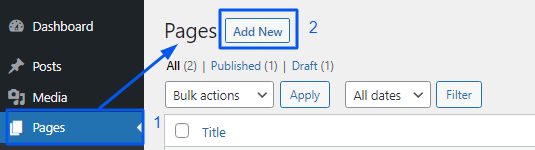
Step 1. Go to Dashboard » Pages
Step 2. Click on the “Add New” Button.
Step 3. Click on “Edit with Elementor”

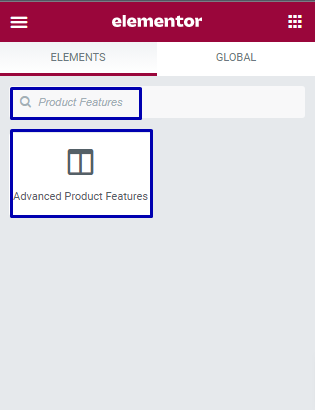
Step 4. Now, search the widget “Product Features”.
You will get the widget:
Advanced Product Features

Step 1. Go to Dashboard » Pages
Step 2. Click on the “Add New” Button.
Step 3. Click on “Edit with Elementor”
Step 4. Now, search the widget “Product Features”.
You will get the widget:
Advanced Product Features